Windows, macOS and Linux builds
The Steam requirements are for Windows 10 or 11, 64-bit. The Steam platform listing does not offer a native macOS or Linux build. If you are comparing a Windows handheld with a SteamOS Deck, write down the operating system first. The same controller layout can be attached to either, while the available native build remains Windows.
Find the System Requirements block on the Steam page and check the OS line before comparing CPU and graphics. On a Windows handheld, you can compare that model’s components against the listed PC baseline. On SteamOS, the absence of a native Linux build leaves a separate compatibility-layer question. The same game in a Windows Library and a SteamOS Library does not establish that the inputs, text size and performance will match.
What the controller listing establishes
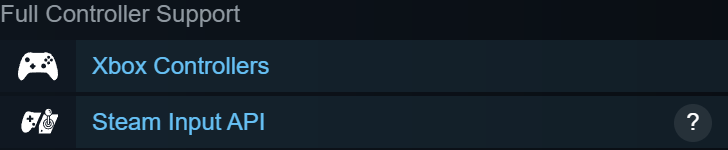
The store marks the game for full controller support and Steam Input API support. That is useful when planning a couch setup with a Windows PC. It does not supply an individual performance profile for your handheld. For in-game bindings, the developer’s separate controls update corrected a duplicated list and limited Invert Y to camera movement.
Check for the support badges beside the purchase and features area. If you already own the game, test camera look, workbench cursor movement and opening the pause menu as separate actions. Passing one stick test leaves two different input contexts unchecked. If a per-game Steam Input layout remaps a button, record that layout when reporting a mismatch so the developer can reproduce the same input path.
Reading the Deck result
When checked on November 8, 2026, Valve’s public compatibility report returned category 0 with no findings for this app. We could not confirm a Verified or Playable rating. The store also publishes no Deck-specific frame-rate target. Before a handheld purchase, reopen the current compatibility report or look for a demonstration naming the Deck model, settings and game version.
Valve treats Deck compatibility as broader than controller input. The review also considers text legibility, prompts, launch requirements and the overall gameplay experience. If the badge is still unknown, ask for one concrete check relevant to you, such as reading the small objective text at handheld resolution or completing a workbench action without an external mouse. Record which Proton or operating-system version the demonstration used before comparing reports.
Sources
- Potato Please · Steam store features and requirements store.steampowered.com
- Valve · Steam Deck compatibility report for Potato Please store.steampowered.com
- Golden Horn Studios · Hotfix 1.0.1 steamcommunity.com
- Valve · Hardware compatibility and Deck review criteria partner.steamgames.com